Hampton Bay Ceiling Fan Instruction Manual: A Comprehensive Guide
This comprehensive guide details installation, operation, and maintenance for your Hampton Bay ceiling fan. Access PDF manuals online, ensuring safe and efficient use of your new fan!
Hampton Bay offers a diverse range of ceiling fans, blending style and functionality for any home. These fans provide enhanced airflow and aesthetic appeal, becoming a central feature in living spaces.
This manual serves as a vital resource, guiding you through the seamless integration of your new fan; From initial setup to ongoing maintenance, we’ll cover every aspect. Hampton Bay prioritizes customer satisfaction, offering readily available support and downloadable resources, including PDF manuals, ensuring a positive experience.
Trust in Hampton Bay for quality and performance!
Understanding Your Fan Model
Identifying your specific Hampton Bay fan model is crucial for accessing the correct resources. Locate the model number, typically found on the motor housing or the original packaging. This number unlocks access to tailored PDF manuals and specific troubleshooting guidance.
Different models feature varying components and functionalities, including diverse blade designs, light kit options, and remote control capabilities. Familiarize yourself with these features by referencing the diagrams and descriptions within this manual. Understanding these nuances ensures proper installation and optimal performance.
Safety Precautions
Prioritize safety during installation and maintenance! Always disconnect power before working on the fan, and adhere to all electrical guidelines for safe operation.
Electrical Safety Guidelines
Before commencing installation, completely disconnect the electrical power supply at the circuit breaker or fuse box. Verify the power is off using a non-contact voltage tester. Ensure the junction box is properly grounded and capable of supporting the fan’s weight.
Always follow local electrical codes and regulations. If unsure about any electrical aspect, consult a qualified electrician. Never work with wet hands or in damp locations. Improper wiring can create a fire hazard or electrical shock. Use appropriately sized wire connectors and ensure all connections are secure.
General Safety Warnings
Exercise caution during installation and avoid dropping parts. Ensure blades are securely attached and balanced to prevent wobbling and potential injury. Keep children and pets away from the installation area. Do not operate the fan if any parts are missing or damaged.
Never insert objects into rotating blades. Regularly inspect the fan for loose screws or connections. Turn off the fan and disconnect power before cleaning or performing maintenance. Retain this manual for future reference and troubleshooting.

Parts Identification
Familiarize yourself with all components – blades, blade holders, motor housing, downrod, and light kit parts – before beginning installation for a smooth process.
Blade and Blade Holder Identification
Understanding blade and holder types is crucial. Hampton Bay fans utilize various blade designs – typically wood or composite materials – each requiring specific holder compatibility. Identify the blade’s shape and screw hole pattern. The blade holder, often metal or plastic, securely attaches the blade to the motor.
Ensure correct alignment during installation; mismatched components can cause imbalance and wobble. Inspect blades for damage before mounting. Confirm the blade holder screws are the correct size and securely fastened. Proper identification prevents installation errors and ensures optimal fan performance and safety.
Motor Housing and Downrod Components
The motor housing encapsulates the fan’s motor, providing structural support and protecting internal components. Identify its mounting bracket for secure ceiling attachment. Downrods connect the motor housing to the mounting bracket, determining fan height. Select the appropriate downrod length based on ceiling height for optimal airflow.
Inspect the downrod for bends or damage. Ensure proper connection to both the motor housing and mounting bracket, utilizing provided hardware. Verify all screws are tightened securely. Correct assembly of these components is vital for stable, safe, and efficient fan operation.

Installation Instructions
Carefully prepare for installation, mount the fan securely, and connect wiring according to local codes. Refer to diagrams for proper assembly and operation.
Preparing for Installation
Before beginning, ensure the ceiling junction box is rated to support the fan’s weight. Turn off the power at the circuit breaker. Carefully unpack all components and verify everything is present, referencing the parts list. Gather necessary tools: screwdriver, wire strippers, and a ladder. Read all instructions thoroughly before starting. Confirm adequate headroom exists for safe installation and operation. Inspect the downrod for any damage before assembly. Proper preparation ensures a smooth and safe installation process, maximizing the fan’s performance and longevity.
Mounting the Fan
Attach the mounting bracket securely to the ceiling junction box, ensuring it’s properly aligned. Carefully lift the fan motor assembly and insert the downrod into the bracket. Rotate the fan until it locks into place. Support the fan’s weight during this process to prevent strain on the mounting bracket. Double-check that all screws are tightened securely. Verify the fan hangs level before proceeding with wiring. Proper mounting is crucial for safe operation and prevents excessive wobbling during use.
Wiring the Fan
Ensure the power is completely OFF at the breaker before starting. Identify the fan wires (typically black, white, and ground). Connect the black wire to the hot wire in the junction box, white to neutral, and ground to ground. Use wire connectors, securing each connection tightly. Carefully tuck the wires into the junction box, avoiding pinching. If a remote receiver is included, follow its specific wiring diagram. Double-check all connections before restoring power, prioritizing electrical safety.

Remote Control Operation
Utilize the remote to control fan speed, light dimming, and power. Pairing may be required initially; refer to the remote’s specific function guide.
Pairing the Remote
To successfully pair your Hampton Bay remote, begin by ensuring the fan has power. Locate the learn button, typically found inside the receiver unit within the fan’s canopy. Press and hold this button until the fan’s lights flash, indicating it’s in pairing mode.
Next, press and hold the power button on your remote for several seconds. Successful pairing is confirmed when the fan’s lights stop flashing and respond to the remote’s commands. If pairing fails, repeat the process, ensuring a close proximity between the remote and the fan receiver.
Remote Control Functions
Your Hampton Bay remote offers versatile control. The power button initiates on/off operation. Speed controls adjust fan airflow – typically low, medium, and high settings. A dedicated light control manages brightness, often with dimming capabilities. Utilize the reverse function to change fan direction for seasonal comfort – cooling in summer, warmth distribution in winter.
Some remotes include a timer function for automated operation. Ensure fresh batteries are installed for optimal performance. Refer to your specific model’s diagram for button locations and unique features.
Light Kit Installation
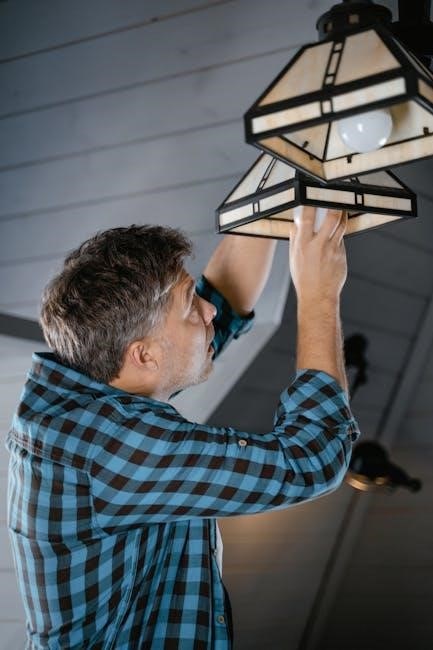
Securely attach the light kit, ensuring a snug fit. Install compatible bulbs (halogen or LED), and carefully raise and twist the glass shade clockwise.
Attaching the Light Kit
Begin by carefully raising the light kit up against the fan’s light plate. Gently rotate the glass shade clockwise until it feels securely fastened – avoid over-tightening. Ensure proper alignment before fully securing to prevent instability. Refer to your specific model’s diagram for detailed component placement.
Double-check all connections are firm and stable; If encountering resistance, re-align and try again. Never force components, as this could cause damage. Consult Hampton Bay’s customer service if issues persist. A properly attached light kit is crucial for safe and effective illumination.
Bulb Installation and Specifications
Install a 100W halogen bulb, as typically included with your Hampton Bay fan; Verify compatibility with your model’s specifications before using alternative bulbs. Always disconnect power before bulb installation or replacement to prevent electrical shock. Handle bulbs carefully to avoid breakage and skin contact.
Check the fan’s label or manual for maximum wattage limitations. Using bulbs exceeding the recommended wattage can create a fire hazard. Ensure the bulb is securely screwed into the socket. Proper bulb selection and installation are vital for optimal performance and safety.

Troubleshooting Common Issues
Resolve common problems like a non-starting fan or excessive wobbling with our guide. Ensure proper wiring and balanced blades for optimal performance and safety!
Fan Doesn’t Start
If your Hampton Bay ceiling fan fails to operate, first verify the power supply at the breaker box. Confirm the wall switch is in the “on” position and that the remote control has functional batteries.
Check all wire connections within the fan’s housing, ensuring they are secure and properly connected according to the wiring diagram. Inspect the pull chain switch (if applicable) for proper engagement. If using a remote, re-pair it with the receiver unit.
A faulty motor or receiver may require professional assistance. Contact Hampton Bay customer service for further troubleshooting or potential repair options. Always prioritize electrical safety!
Fan Wobbles Excessively
Excessive wobbling indicates an imbalance. Begin by ensuring all blade screws are tightened securely. Use a balancing kit (often included) to identify and correct weight distribution issues on the blades.
Verify the downrod and canopy are properly secured to the mounting bracket, eliminating any looseness. Confirm the blades are correctly attached and haven’t been bent or damaged. Check for obstructions near the blades’ rotation path.
If wobbling persists, consult the manual for specific balancing instructions or contact Hampton Bay customer support for assistance. A stable fan ensures safe and quiet operation.
Maintenance and Care
Regular cleaning and lubrication maintain optimal performance. Dust blades periodically and, if needed, apply a lightweight oil to the motor for smooth, quiet operation.
Cleaning Your Ceiling Fan
To ensure longevity and optimal performance, regular cleaning is essential. Before cleaning, always turn off the power to the fan at the circuit breaker. Use a soft cloth or duster to wipe down the fan blades, removing accumulated dust.
For stubborn dirt, a slightly damp cloth with mild detergent can be used, but ensure the blades are thoroughly dried afterward. Avoid abrasive cleaners, as they can damage the finish. The motor housing can also be wiped clean with a damp cloth.
Periodically inspect the light kit and glass shades, cleaning them as needed to maintain brightness. Remember safety first – always disconnect power before any cleaning procedure!
Lubrication Guidelines
Hampton Bay ceiling fans are generally sealed and do not require routine lubrication. However, over time, the motor bearings may benefit from a small amount of lightweight oil. If you notice unusual noises or sluggish operation, consider this step.
Carefully apply a few drops of electric motor oil to the bearing points, typically accessible from the top of the motor housing. Avoid over-lubrication, as excess oil can attract dust and debris.
Regularly inspect the downrod and mounting bracket for tightness, ensuring secure operation. Do not disassemble the motor itself for lubrication, as this could void the warranty and potentially damage the fan.

Warranty Information
Hampton Bay provides a warranty for its ceiling fans, covering defects in materials and workmanship. Retain your proof of purchase for warranty claims and support.
Hampton Bay Warranty Details
Hampton Bay warrants its ceiling fans against defects in materials and workmanship for a specified period, typically one year from the date of purchase. This warranty covers components like the motor, blades, and electrical parts.
However, it doesn’t cover issues arising from improper installation, misuse, accidents, or normal wear and tear. Proof of purchase is essential for any warranty claim. The warranty is void if the fan is modified or used for commercial purposes.
For complete details, refer to the warranty card included with your fan or visit the Hampton Bay website.
Contacting Customer Support
For assistance with your Hampton Bay ceiling fan, customer support is readily available. You can reach them via phone at 1-877-527-0313, Monday through Friday, from 8 a.m. to 6 p.m. EST.
Alternatively, visit the official Hampton Bay website for frequently asked questions, troubleshooting guides, and downloadable manuals. Online support offers a convenient way to resolve common issues.
When contacting support, have your model number and purchase date ready to expedite the process. Detailed instructions and helpful resources are available to ensure a positive experience.

Frequently Asked Questions (FAQ)
Explore common questions regarding Hampton Bay fans, including troubleshooting and installation. Find quick answers to ensure optimal performance and enjoyment of your ceiling fan!
Common Questions About Hampton Bay Fans
Many users inquire about bulb compatibility for their light kits; typically, 100W halogen bulbs are specified, but check your model’s details. Others ask about remote pairing – ensure fresh batteries and follow the manual’s instructions carefully.
Frequently, customers need clarification on fan wobble issues, often resolved by balancing the blades using the provided kit. Questions also arise regarding accessing PDF manuals online via Hampton Bay’s website.
Finally, understanding warranty details and customer support contact information (1-877-527-0313) are common concerns, ensuring peace of mind after purchase.
Troubleshooting FAQs
If your fan fails to start, first verify the power supply and wiring connections, referencing the installation instructions. For excessive wobbling, utilize the balancing kit included with your Hampton Bay fan, carefully following the provided steps.
Light kit issues often stem from incorrect bulb installation or a faulty bulb; ensure compatibility and secure fitting. Remote control problems can usually be solved with new batteries or re-pairing the remote to the receiver.
Remember to retain the manual for future reference and consult Hampton Bay’s customer service if issues persist.

Downloading Manuals and Resources
Find helpful resources, including PDF manuals, on Hampton Bay’s website. Easily access operating guides and owner’s manuals for your ceiling fan model online!
Finding PDF Manuals Online
Locating your Hampton Bay ceiling fan’s PDF manual is straightforward. Numerous websites archive user manuals, offering free downloads for various models, including the 52-inch and AC 436 versions;
A quick online search using your fan’s model number (often found on a sticker near the motor housing) will yield relevant results. Websites like ManualsBase and others specialize in hosting these documents.
Ensure the PDF matches your specific fan to avoid incorrect installation or operational instructions. Downloading the manual provides a readily available resource for troubleshooting and maintenance guidance.
Accessing Hampton Bay’s Website
Hampton Bay’s official website, HamptonBay.com, serves as a primary resource for product information and support. Here, you can often find downloadable PDF manuals for current and many older ceiling fan models.
The website also provides access to frequently asked questions (FAQs), troubleshooting guides, and contact information for customer service. Utilizing their online resources ensures you receive accurate and up-to-date information specific to your fan.
Directly accessing Hampton Bay’s site guarantees you’re receiving official documentation and support, aiding in proper installation and maintenance.
Comments